Every shop starts on the Free plan. When you want your own domain name, or to sell online, you choose a paid plan. Your shop's first Basic or Pro subscription starts with a 14-day trial. The first yearly charge follows that trial unless you cancel. Prices are in Australian dollars and include GST. The examples follow Mara Quinn, who runs Saltbush Ceramics.
Shop plans don't cover running markets. If you organise markets, see Organiser plans and Organiser Pro.
What Each Plan Includes
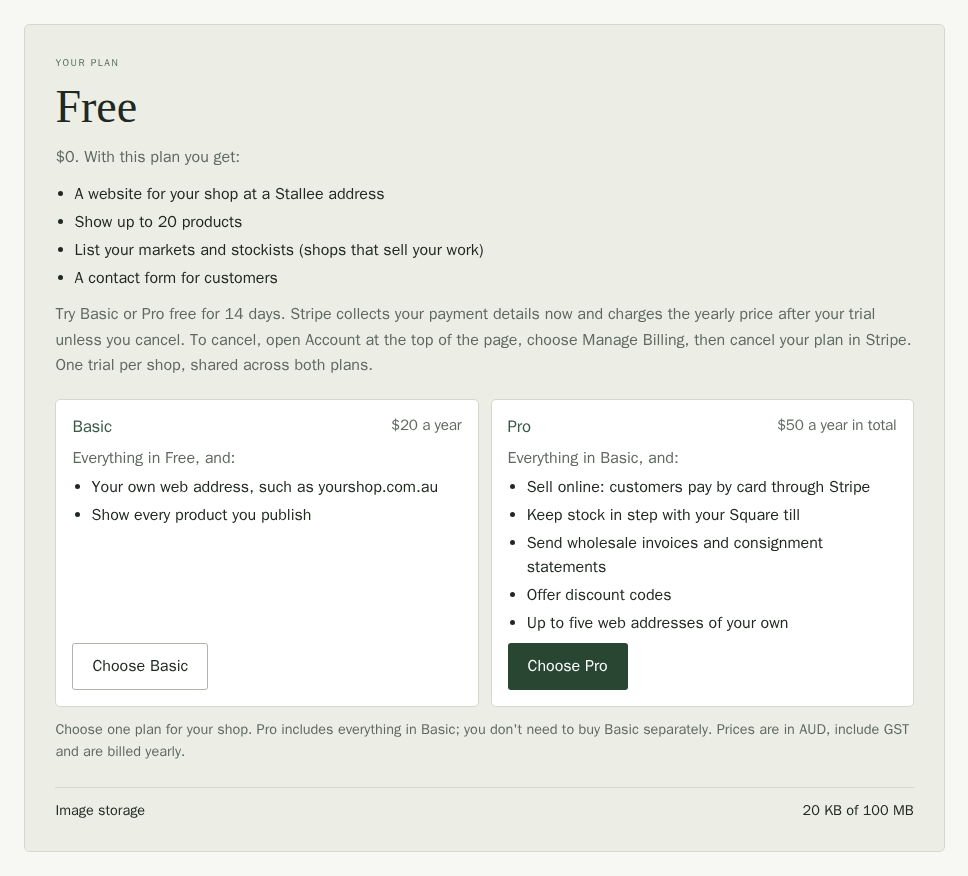
- Free is $0. You get a website for your shop at a Stallee address. It shows up to 20 products, lists your markets and stockists (shops that sell your work) and has a contact form for customers.
- Basic is $20 a year. It has everything in Free, and you get your own web address, such as yourshop.com.au, and show every product you publish.
- Pro is $50 a year in total, including GST. It has everything in Basic, and you can sell online, with customers paying by card through Stripe. You can also keep stock in step with your Square till, send wholesale invoices and consignment statements, offer discount codes and use up to five web addresses of your own. You don't need to buy Basic separately.
Australian Pro shops selling physical goods in AUD can also set up a Google product feed on their primary custom domain. You manage the Google account, shipping settings and listing results in Merchant Center.
Your plan card lists the same things. Wherever Stallee says something is part of a paid plan, choose See what each plan includes to open the card. A team member sees Ask the shop owner to change the plan there instead, because only owners, admins and billing contacts see the plan card.
Your Pro activation email also confirms that Basic is included in your shop plan. You don't need a separate Basic subscription.
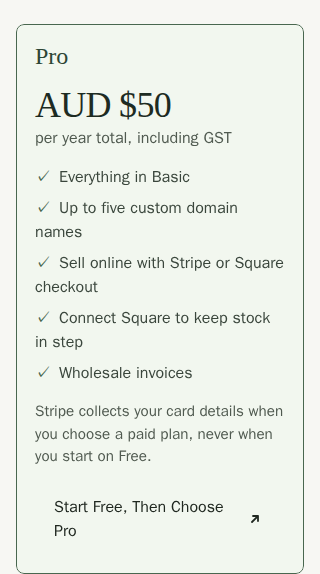
On Pro, online checkout can run through your own Stripe account or your own Square account. See Choose Stripe or Square for online payments.
Plan Limits
Limits apply only to what your shop stores. Stallee never limits how many visitors you get, how often you save, or how many orders and messages come in.
- Free includes 100 MB of image storage, 60 product images, 10 pages of your own and up to 20 products on show. It does not include your own domain name.
- Basic includes 1 GB of image storage and one domain name of your own. Product images, pages and products on show are not limited.
- Pro includes 1 GB of image storage and up to five domain names of your own. Product images, pages and products on show are not limited.
Your plan card shows how much image storage you have used. If you reach a limit, Stallee tells you when you try to add more, and nothing you have already added is removed.
Pro Plus for Busy Shops
Pro covers far more visitors than a typical market stall shop gets. Every visit to your website uses Stallee's hosting, so a shop with very heavy traffic costs more to run. Pro Plus is for those shops, and for shops that need more image storage or domain names than Pro includes. It has everything in Pro, and its price depends on what your shop needs, so there is no Pro Plus button to buy it.
To ask about it, contact Stallee support (opens in a new tab) and tell us roughly how many visitors your site gets and what you need more of. If your shop starts using far more than Pro allows for, we will get in touch with you first. Your site keeps working while we talk.
Pages that belong to a paid plan, such as Orders, Wholesale, Website address and Payments, appear in your menu once your plan includes them. The price shown on your plan card is always the price you pay.
Choose a Paid Plan
Only the shop owner can change the plan. While your shop is on Free, the plan card is on Home, above the Your Shop buttons. You can stay on Free for as long as you like, without a card.
- Open Home and find the Your plan card.
- Read what each plan gets you, then choose Choose Basic or Choose Pro. You only need one plan: Pro includes everything in Basic for $50 a year in total, including GST.
- Enter your card details on Stripe's secure checkout page. Stallee never sees them. If Stallee gave you a promotion code, choose Add promotion code there and enter it; the price updates before you confirm.
- Stripe returns you to Stallee. The page says Checkout complete. Your plan updates as soon as Stripe confirms it. If your menu has not changed yet, wait a moment and reload the page.
The first time your shop subscribes to Basic or Pro, you can use that plan for 14 days before the first charge. Stripe charges the plan's yearly price when the trial ends unless you cancel before then. Each shop gets one trial across Basic and Pro. If your shop has subscribed before, checkout starts regular yearly billing straight away.
To cancel a trial, open Account, choose Manage Billing, then cancel your plan on Stripe's billing page. The plan card says this too, before and during the trial.
See or Change Your Plan Later
Once your subscription starts, your plan card moves to the Account page. Choose Account at the top right of any page to open it. During a trial, the card says Trial ends followed by the date.
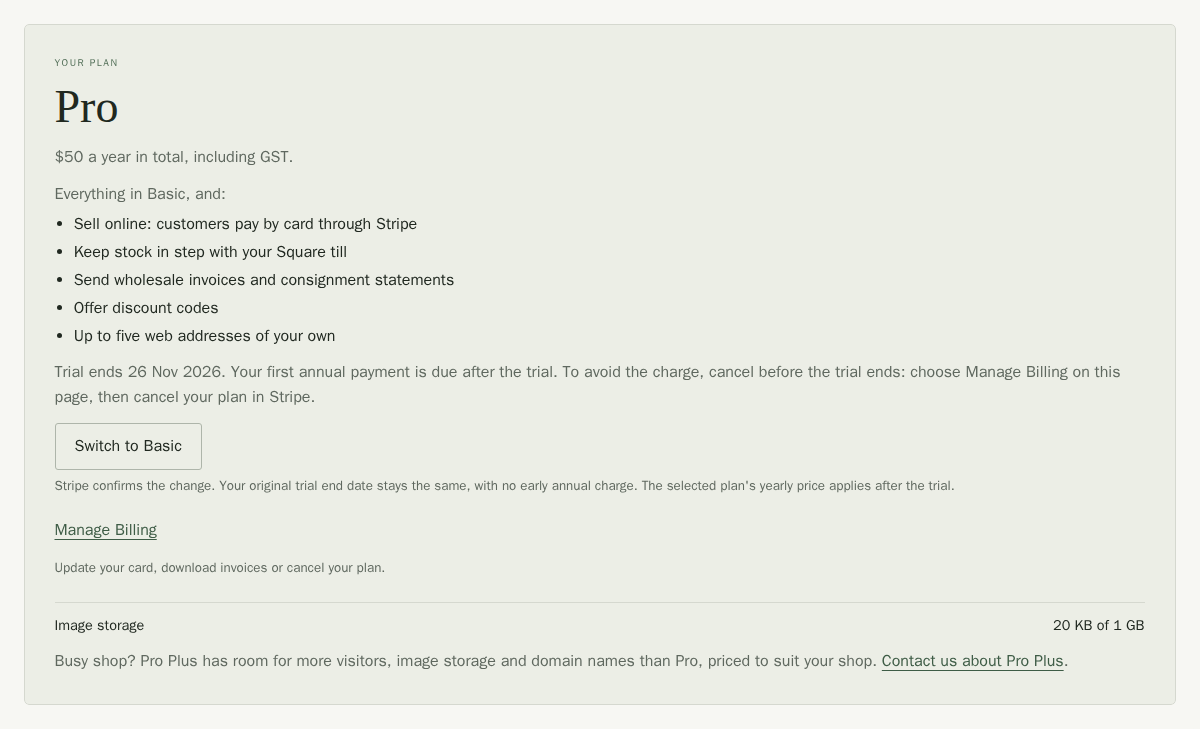
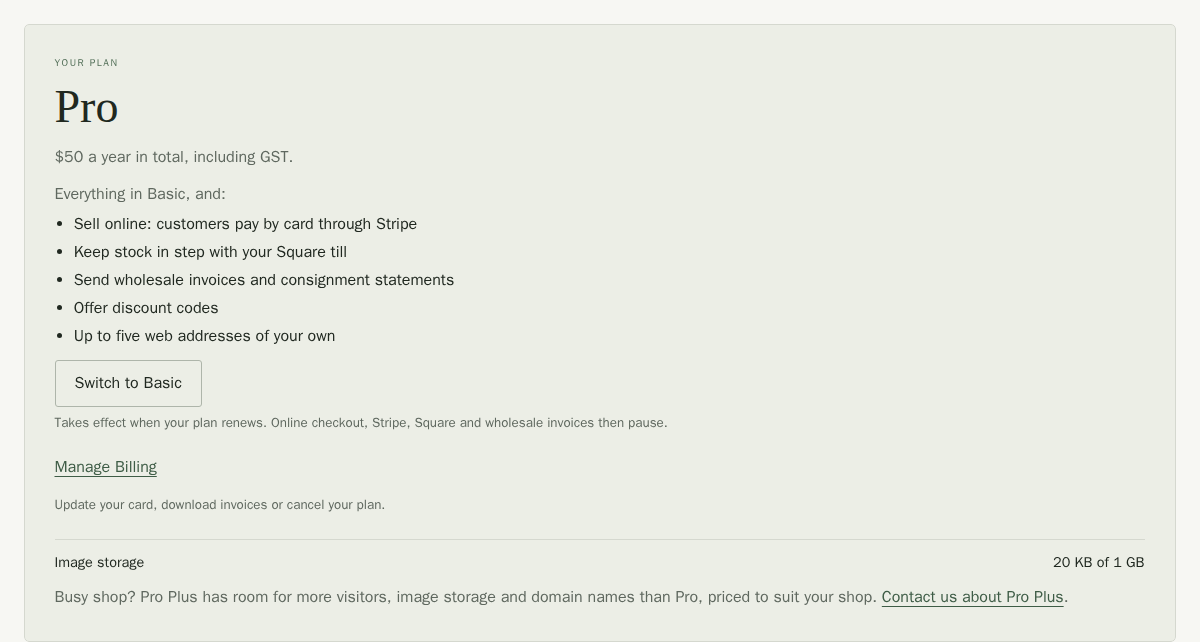
After your first payment, the card shows when your plan renews instead.
- During your trial, switching between Basic and Pro keeps the same trial end date. Stripe charges for the selected plan when the trial ends unless you cancel.
- After your first payment, Upgrade to Pro (from Basic) takes you to Stripe. You pay the difference for the rest of the year now, and Pro starts as soon as Stripe confirms it.
- After your first payment, Switch to Basic (from Pro) takes effect when your plan renews. Online checkout, Stripe, Square and wholesale invoices then pause. Your connections and records are kept.
- A line under the plan name says when your trial ends, when your paid plan renews, or when it ends if you have cancelled.
- Image storage shows how much of your plan's photo space you have used.
- On Pro, Contact us about Pro Plus opens Stallee support. See Pro Plus for busy shops.
Get Setup Help
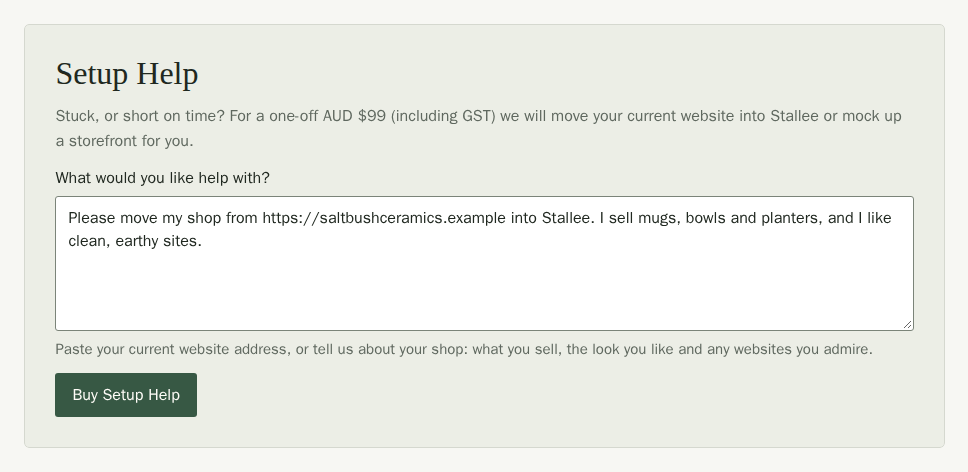
If you are stuck, or short on time, Stallee can do the setup work for you for a one-off $99, including GST. Send us your current website and we will move your products, pages and markets into Stallee, or tell us about your shop and we will mock up a storefront you can edit and publish. It is a single payment, not a subscription, and it is available on every plan, including Free. It does not change your plan.
- Open Home (or Account once you are on a paid plan) and find the Setup Help card. Only the shop owner can buy it.
- Under What would you like help with?, paste your current website address, or tell us about your shop: what you sell, the look you like and any websites you admire. You can write up to 1,000 characters.
- Choose Buy Setup Help and pay on Stripe's secure checkout page. The $99 includes GST.
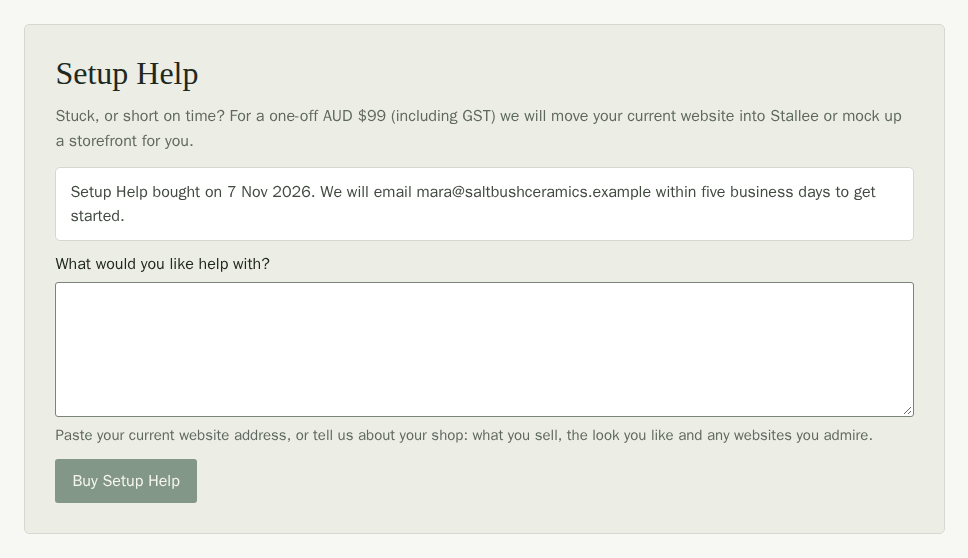
- Stripe returns you to Stallee, and the card says Payment received. It then shows when you bought Setup Help and which email address we will write to.
We email you within five business days to get started. Nothing is published until you say so. The card keeps a line for each purchase: Setup Help bought on a date while the work is waiting or under way, and Setup Help finished on a date once Stallee has done it. You can buy Setup Help again whenever you need more help.
If Stallee Gives You Complimentary Pro
Stallee sometimes gives a shop Pro at no charge, for example to thank early testers. Your plan card then shows Pro and says it is complimentary, with no price and no plan switch. You are never charged for it, and Manage Billing shows the complimentary discount on your plan. If Stallee ends the arrangement, Pro stays until the end of your current year and then your shop moves to Free, unless you choose a paid plan.
Update Your Card or Cancel
- Open Account.
- Choose Manage Billing. Stripe's billing page opens.
- Update your card, download invoices, or cancel your plan there.
Cancel during the trial and Stripe does not charge the first yearly price. Your trial access lasts until its end date, then your shop moves to Free. A cancelled paid plan stays in place until the end of its paid period. Nothing you set up is deleted. Pages that need a paid plan are hidden after it ends, except Orders and Payments, which stay while you still have orders or connections to wind down.
If a Page Says It Needs Pro
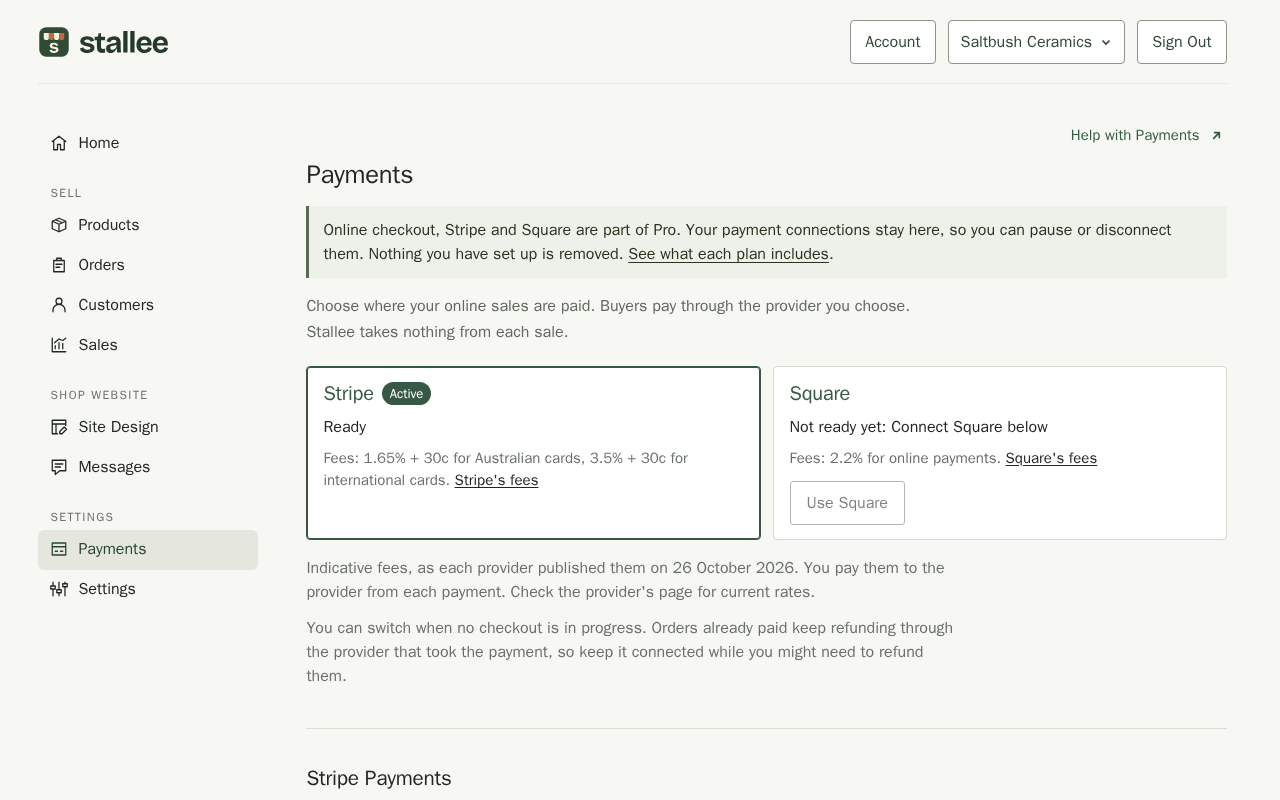
On a shop that is not on Pro, Payments explains that online checkout, Stripe and Square are part of Pro. Your connections are kept, so you can still pause or disconnect them. Choose See what each plan includes to open your plan card, where you can compare the plans and upgrade. On a Free shop the card is on Home; on a paid shop it is on Account.
If a Payment Fails
If your yearly payment does not go through, your plan stays in place for a short time while you update your card in Manage Billing. If it is still not resolved, your shop moves to Free until it is. Your data is never deleted.