Links and QR Signs gives you the web address of your shop, a product or a collection, ready to paste into a message or a social post. It also makes a sign with a QR code that you can print for your stall, so shoppers can find you again after they walk away. It is on every plan, and owners, admins and members can use it.
Copy a Link
- Open Links and QR Signs from the Shop Website group in the menu.
- Under What to Share, choose Shop Home Page, A Product or A Collection.
- For a product or a collection, pick the one you want. If you have many products, type part of the name under Find a Product to shorten the list.
- Choose Copy Link, then paste it wherever you want to share it.
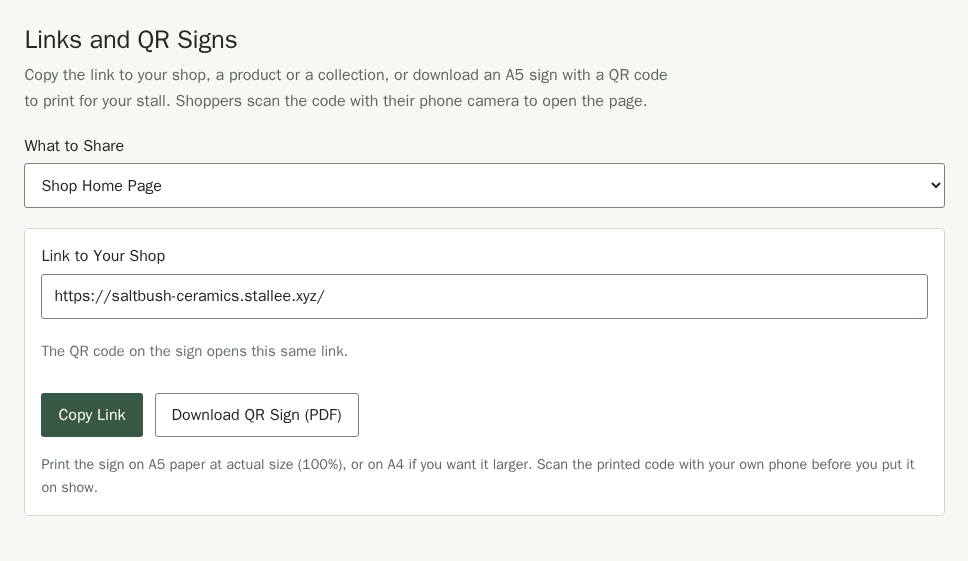
The link uses your own domain name when you have connected one, and your Stallee address otherwise. See Website Address.
Print a QR Sign for Your Stall
- Choose what the sign should open, as above.
- Choose Download QR Sign (PDF). The sign is one A5 page in black and white with your shop name, what the code opens, the QR code and the same link in print.
- Print it on A5 paper at actual size (100%). Print on A4 if you want a larger sign.
- Scan the printed code with your own phone camera before you put the sign on show, and check that it opens the page you expect.
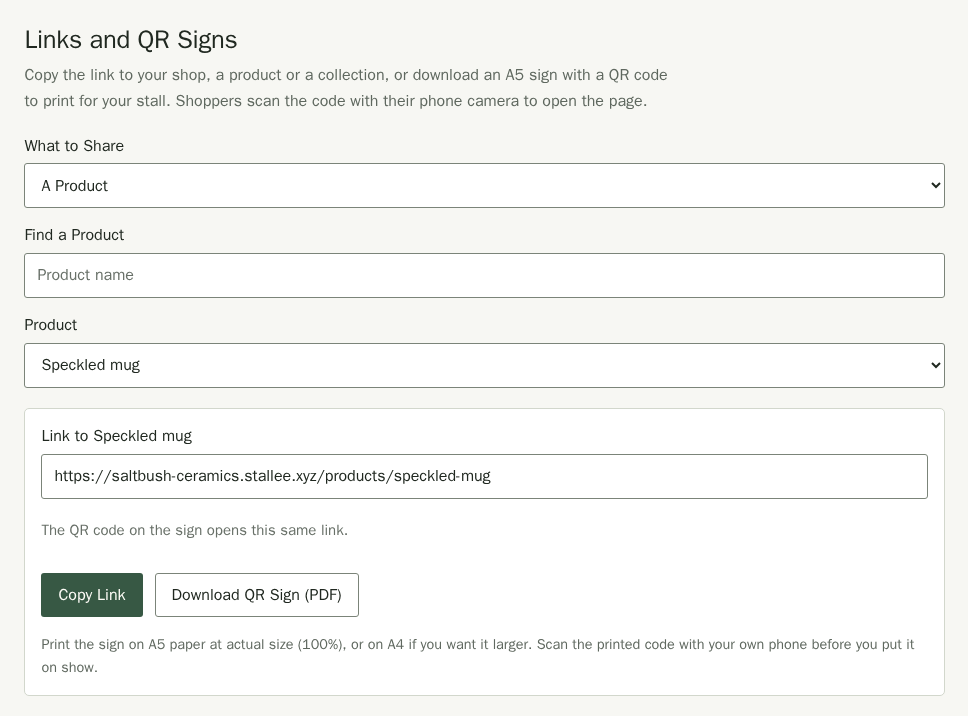
A sign for your shop home page suits the front of your table. A sign for one product works well beside a display piece you have sold out of, or one that shoppers can order in other colours online.
Which Pages You Can Share
The lists show only pages that everyone can open, so a sign never sends a shopper to a page they cannot see:
- Products that are Published. Draft and market-only products are not listed.
- Products without a password. A product you have protected with a password is not listed. Share its own link and password with your customer instead; see Products.
- On the Free plan, the 20 products your site shows. See Plans and Billing.
- Collections that are on your published site. After you create or rename a collection, publish your site again; see Collections.
If a Link Changes
A printed sign keeps the link it was made with. Download and print a new sign if you change a product's web address, change a collection's address, or connect a different domain name. If you unpublish or delete a product, its old sign opens a page that says the product is not available.