Every organiser starts on the Free plan, which manages one market with all its dates, site maps, stallholders and floorplans. If you run more than one market, Organiser Pro lets you manage as many as you like. This guide follows Jo Mitchell, who runs Harbourside Markets and adds a second, twilight market.
What the Free Plan Includes
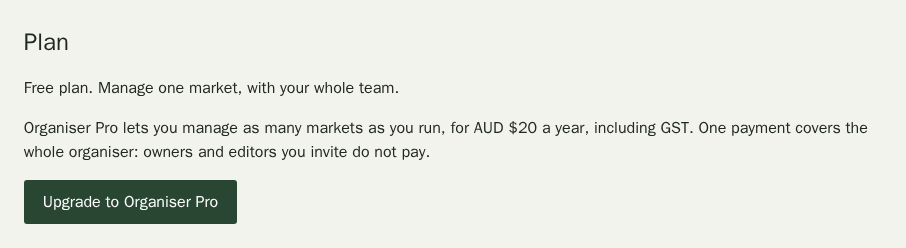
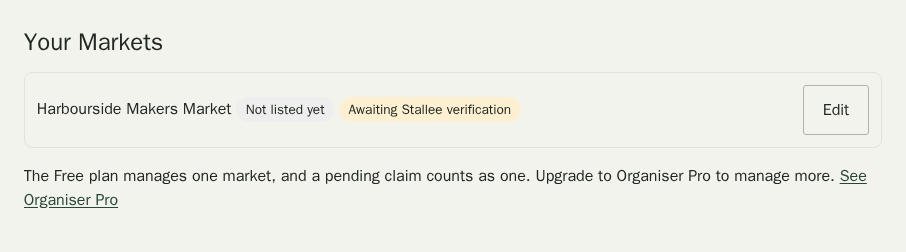
In your organiser workspace, choose Plan in the menu. On the Free plan you can manage one market. A market you have asked to claim counts too while the Stallee team checks your request, so you cannot create a market and claim another at the same time.
Once you manage a market, Your Markets shows a note in place of the Create a Market form, and claiming another listing in the directory says the same.
Upgrade to Organiser Pro
Only an owner of the organiser can upgrade.
- In Plan, choose Upgrade to Organiser Pro.
- Stripe's secure payment page opens. Enter your card details, and your ABN if you want it on the tax invoice, then pay.
- You come back to your workspace. Organiser Pro starts as soon as Stripe confirms the payment, usually within a minute. Reload the page to see it.
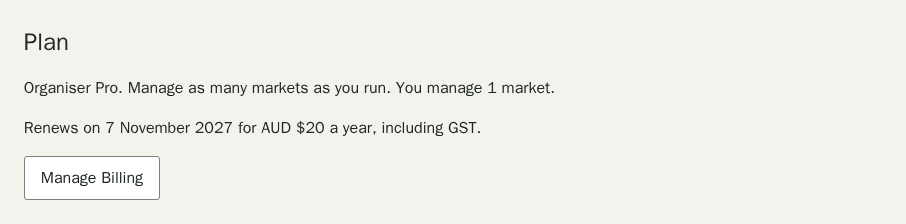
Organiser Pro renews each year. Stripe emails the tax invoice to the address you paid with.
Manage Billing or Cancel
- In Plan, choose Manage Billing.
- On Stripe's billing page you can change your card, download invoices or cancel.
If you cancel, Organiser Pro lasts until the end of the year you have paid for. After that your organiser is back on the Free plan. You keep every market you already manage, with their dates, stallholders and floorplans, but you cannot create or claim another until you upgrade again.
If a renewal payment does not go through, Plan says so and gives you a week to update your card before Organiser Pro pauses.