The Payments page connects your shop to the services that handle money and in-person sales. Stripe takes card payments from your website customers and pays them straight into your own Stripe account. Square, if you use it at markets, can share its stock counts with Stallee. The examples follow Mara Quinn, who runs Saltbush Ceramics.
Connect Stripe to Take Card Payments
Customers pay by card on your website, and the money goes to your Stripe account, not to Stallee. You can connect an account you already have or create a new one.
- Choose Payments in the menu.
- If you already use Stripe, choose Connect My Existing Stripe Account. You keep your Stripe balance and login. Sign in to Stripe when asked and approve the connection.
- If you are new to Stripe, choose Create a Stripe Account. Stripe asks about you and your business, which takes a few minutes. Stripe sets the account up for your Shop Country, the country you chose when you created your shop. Check it in Settings first if your business is outside Australia.
- Stripe sends you back to the Payments page. When everything is finished, the page says Stripe is connected and card payments are ready.
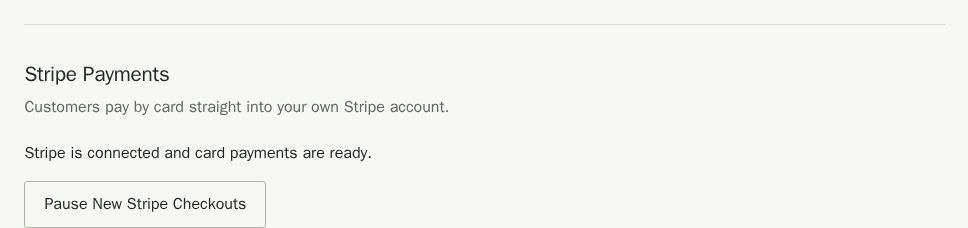
Your website also needs to know which stock it sells. If the page says your website can't take orders yet, follow the Online stock location link and set up exactly one active location with the type Online (for your website). See Stock levels and locations for the steps, then come back to Payments.
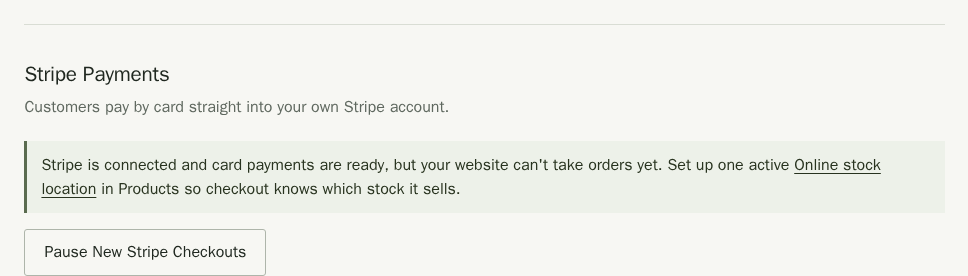
That message confirms your Stripe account can take card payments. Check the Stripe card at the top of the page for your shop's checkout readiness. If it asks for an Online stock location, follow the link and set up exactly one active location with the type Online (for your website). See Stock levels and locations for the steps. Return to Payments to check that the Stripe card says Ready.
Finish Setting Up Stripe
If Stripe still needs something from you, the page says Stripe is connected. Card payments are followed by a status, and tells you what to do next. Customers cannot pay by card until that changes.
- Waiting for Stripe means Stripe is checking your details. Most checks finish within a few minutes, but some take a few business days, and Stripe emails you if it needs anything. Choose Check Again to see the latest.
- Limited by Stripe or not turned on means Stripe needs more from you. If you created the account through Stallee, choose Continue Stripe Setup and complete the steps Stripe shows. If you connected an existing account, choose Open Stripe, finish what Stripe asks for, then come back and choose Check Again.
- If something goes wrong and trying again does not help, the message links to Stallee support so you can raise a request.
If you remove Stallee's access from inside your Stripe account, Stallee pauses new checkout and the page offers Reconnect Stripe. Your orders and payments are unchanged. Reconnect the same Stripe account, because each shop stays linked to one account, and each Stripe account can serve only one shop. If Reconnect Stripe cannot be used on your site, the page says so and links to support, who can help you reconnect.
Take Online Payments Through Square Instead
If you use Square at markets, customers can also pay for online orders into your Square account. Your shop uses one provider at a time, Stripe or Square, and Stallee takes nothing from each sale.
- Choose Stripe or Square for online payments
- Turn on Square payments
- Refunds and disputes on Square orders
- Custom order balances on Square
Payment Methods Your Buyers See
Stallee sends Stripe the full order, with every item, postage and any discount, and does not choose how the customer pays. Stripe shows the payment methods that are turned on in your own Stripe account and that suit the customer's device, country and order total. Because Stripe sees the whole order, a wallet or Afterpay shows the right amount.
- Cards are always on. Visa, Mastercard and American Express work on every order.
- Apple Pay and Google Pay appear on their own when the customer's device and browser support them, such as Safari on an iPhone or Chrome on an Android phone. Stripe turns both on for new accounts. Customers pay on Stripe's secure page, so there is no domain to register.
- Afterpay and Zip let customers pay in instalments while you are paid up front. They show only after you turn them on in Stripe.
Turn On Afterpay and Zip in Stripe
- Sign in to your Stripe Dashboard.
- Open Settings, then Payment methods.
- Find Afterpay / Clearpay and turn it on. Do the same for Zip.
- If Stripe asks for more details, follow the prompts. Stripe may review your account before a method goes live.
Afterpay and Zip have rules that Stripe applies for you:
- Your business and your customer must both be in Australia, and the order must be in Australian dollars, so your shop's currency must be AUD.
- Afterpay covers orders from $1 to $4,000. Zip covers $1 to $1,000 as Zip Pay, and larger orders as Zip Money where Zip approves the customer. Outside these amounts the method simply does not show.
- Stripe does not allow Afterpay for some kinds of business, such as alcohol, donations and pre-orders. Check Payment methods in Stripe to see whether your account qualifies.
- A custom order's deposit is paid by card only, because Stallee saves the card to charge the balance later. Afterpay and Zip are not offered on it.
Pause New Stripe Checkouts
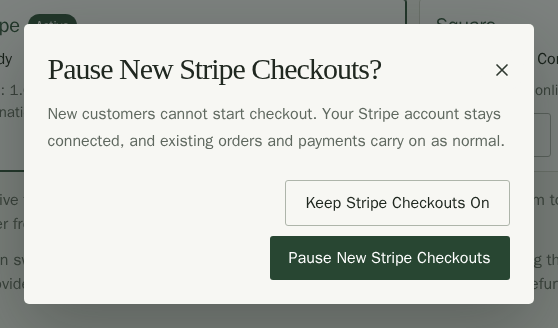
Pausing stops new customers starting a Stripe checkout. Your Stripe account stays connected, and orders and payments already in progress carry on. Use it if you need a break from taking orders.
- In the Stripe Payments panel on the Payments page, choose Pause New Stripe Checkouts.
- Read the message, then choose Pause New Stripe Checkouts to confirm. Choose Keep Stripe Checkouts On if you change your mind. The page confirms New Stripe checkouts are paused.
- To start taking payments again, choose Resume New Stripe Checkouts on the same page.
While Square is your active provider, the Stripe panel says Stripe is connected but not taking new checkouts. The pause button there only affects Stripe if you switch back to it. To stop customers paying through Square, use Pause New Square Checkouts instead. See Choose Stripe or Square for online payments.
To pause only for a short time and show customers your own message, use Pause Online Sales on the Online sales page instead. See Online sales.
Refunds and Payouts
You refund a customer from the order itself, and Stripe returns the money to their card. See Orders. Stripe pays your balance out to your bank, and you manage payouts, fees and disputes in your Stripe account.
Connect Square to Share Stock
If you also sell at markets with Square, connect it so Square's stock counts and Stallee's stay in step. Stallee keeps the main count: Square never changes it without you checking.
Square has two separate jobs here. This section covers the first, keeping items and stock in step. The second, taking online payments, only happens when you turn on Square payments and choose Square at the top of the page. While Stripe takes your payments, the Square panel says Square is not taking them. See Turn on Square payments.
- On the Payments page, find the Square panel and choose Connect Square.
- Sign in to Square and approve the connection. Square sends you back to Payments, where the panel says Square is securely connected.
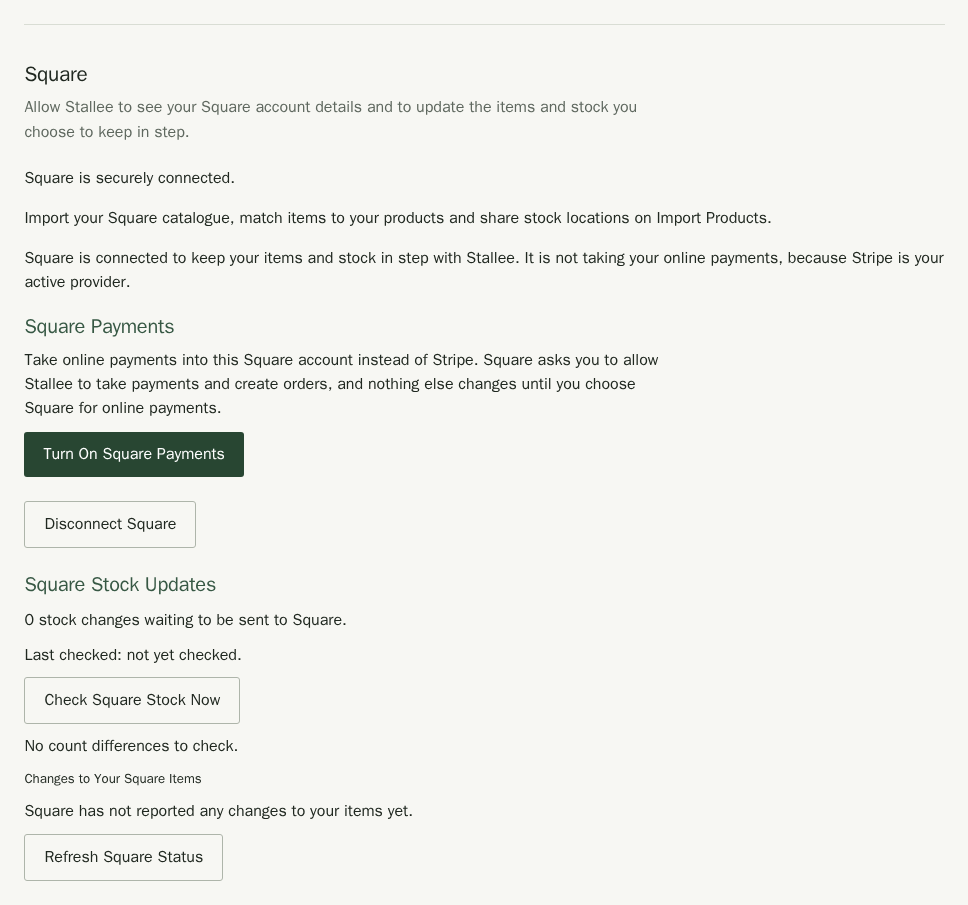
Next, share your stock locations and bring your Square items across on the Import Products page: choose the Import Products link in the Square panel, then From Square. There you match Square items to your products, import many at once and create products in Square. See Import Products.
Once connected, Square Stock Updates shows how recent the last check was. If a count in Square differs from Stallee's, Stallee lists it under Differences to Check. Check the shelf, then choose Use Square count or Keep Stallee Count. Either choice is recorded.
Disconnect Square
Choose Disconnect Square and then Email Me a Confirmation Link. Open the link in the email and choose Disconnect Square Now. Stallee stops updating Square and removes its access to your Square account. Your products and stock in Stallee stay as they are.